
My Home Assistant smart home setup.
Three diagrams, one house. This is how my smart home is wired together, from the PC that runs everything to the speaker in the workshop.
As an Amazon Associate I earn from qualifying purchases. This page contains affiliate links — details.
The brain and the radio.
Everything starts with one Windows 11 host, a Dell PowerEdge tower. Home Assistant OS runs in a Hyper-V virtual machine, and Zigbee2MQTT runs in a Docker container beside it.
A USB Zigbee 3.0 coordinator is the radio. Every sensor, button, switch and bulb joins the network through it.
- Buttons and wall switches for quick room control
- Motion, door and window sensors for automations
- Water leak sensors where a leak would hurt most
- Colour bulbs that double as mesh routers
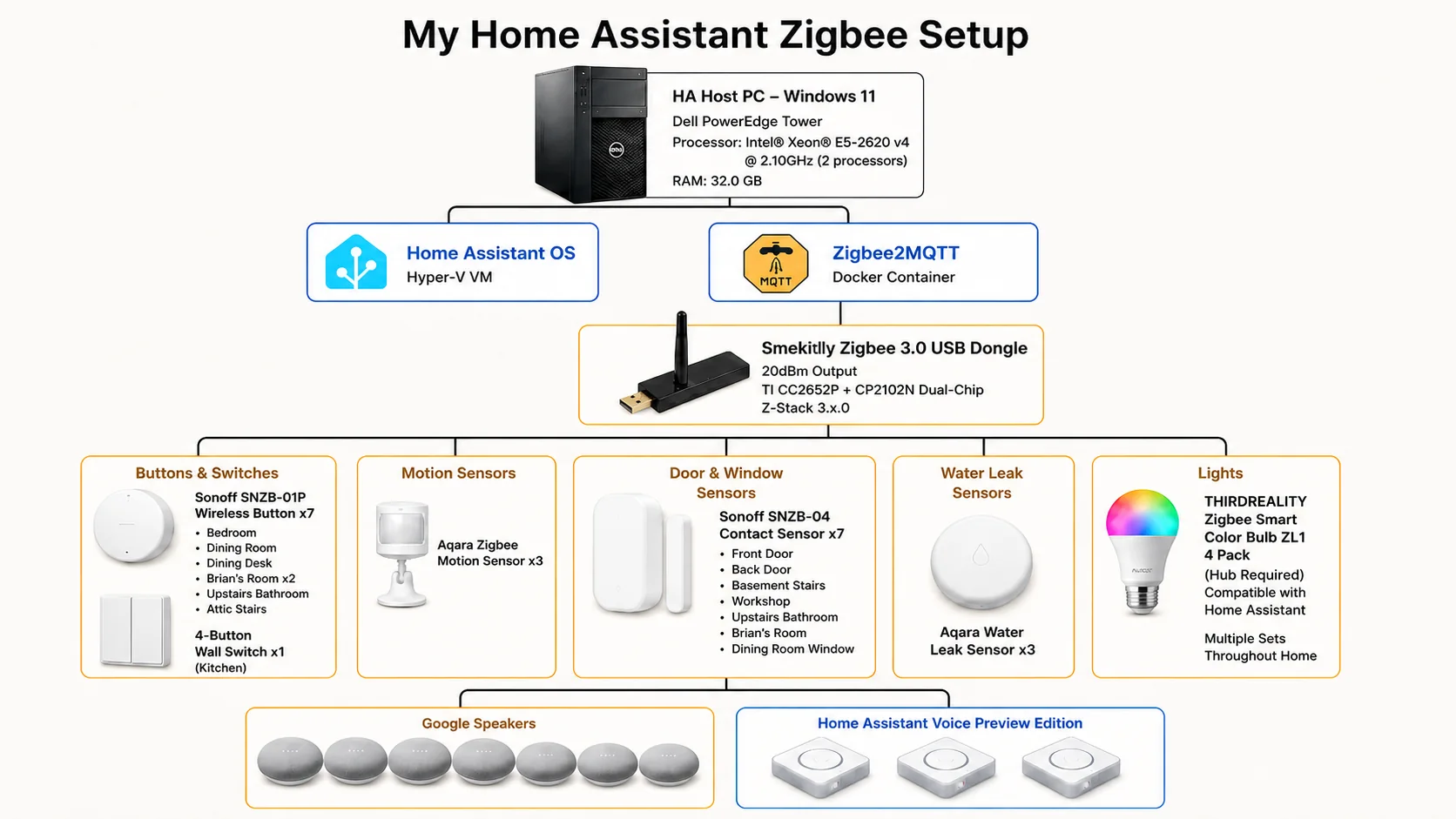
Click a device in the diagram to see where to get it.
How the mesh covers a 1920 house.
Plaster walls and three floors are hard on radio signals. The fix is a mesh: plugs and bulbs are always powered, so they act as routers and pass the signal along.
Battery sensors then connect through the nearest router instead of reaching all the way back to the coordinator. The result is a stronger whole-house network that even reaches the workshop out back.
- Coordinator starts the network
- Routers (plugs and lights) relay and extend it
- End devices (sensors and buttons) join through the nearest router
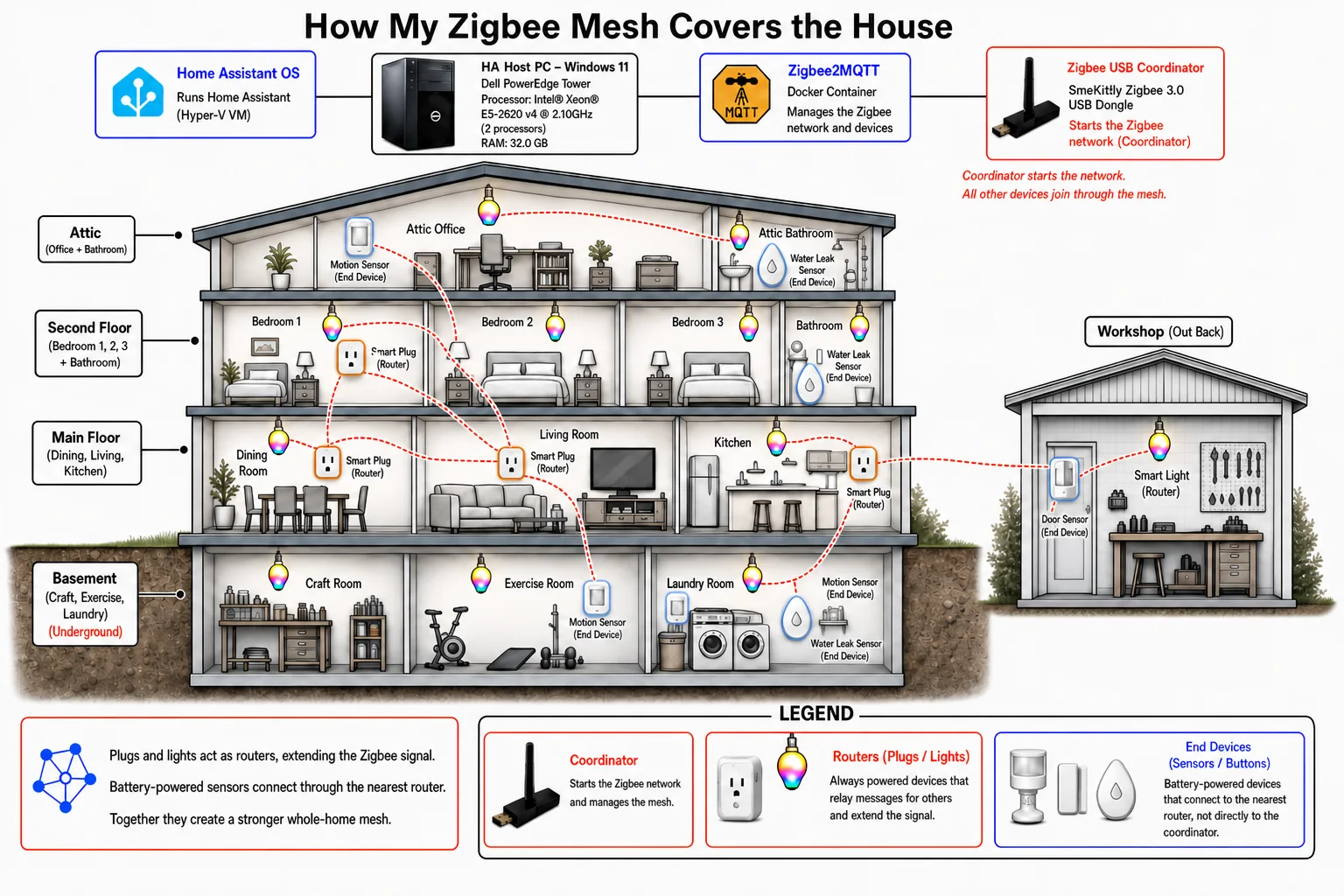
Click a device in the diagram to see where to get it.
Voice in every room.
Google Nest speakers cover the bedrooms, dining room, kitchen, craft room and workshop for everyday voice and music.
Three Home Assistant Voice Preview Edition speakers — in the attic office, the living room and the workshop — give me local voice control that talks straight to Home Assistant.
See the speakers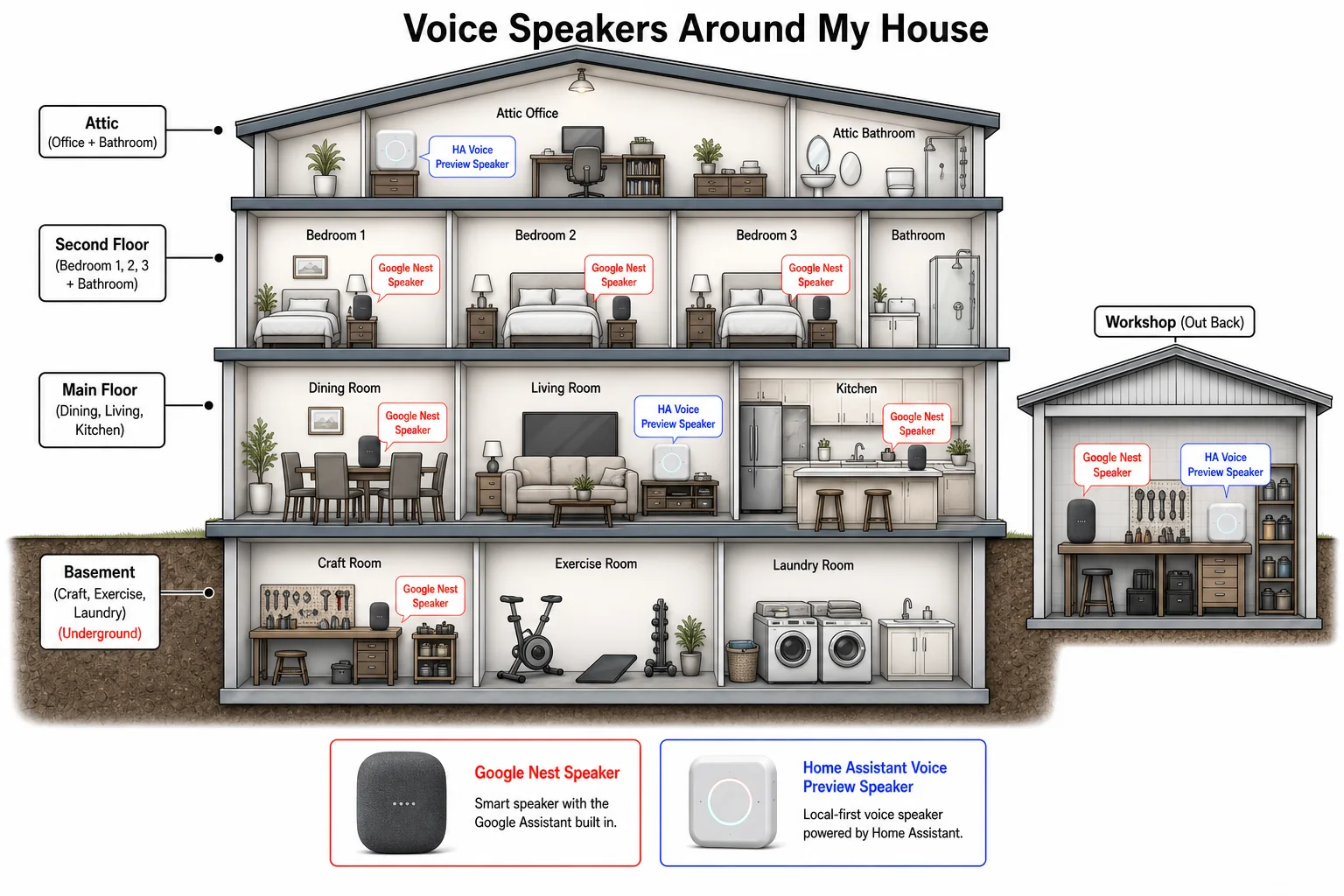
Click a device in the diagram to see where to get it.